Working with clients who have no film training is one of the hard parts of video production. Most of them struggle to picture the final product, and that shows up later as round after round of revisions. We use a method that closes that gap before anyone films, and changes the way the edit is decided.
The problem
In our experience, about nine clients in ten without a film-school background find it hard to picture the outcome of a project, whatever classic method we use: a script, a moodboard or a presentation. Short of a full storyboard, which is slow and costly to make, the result is usually a long series of revisions and a client who isn’t fully satisfied.
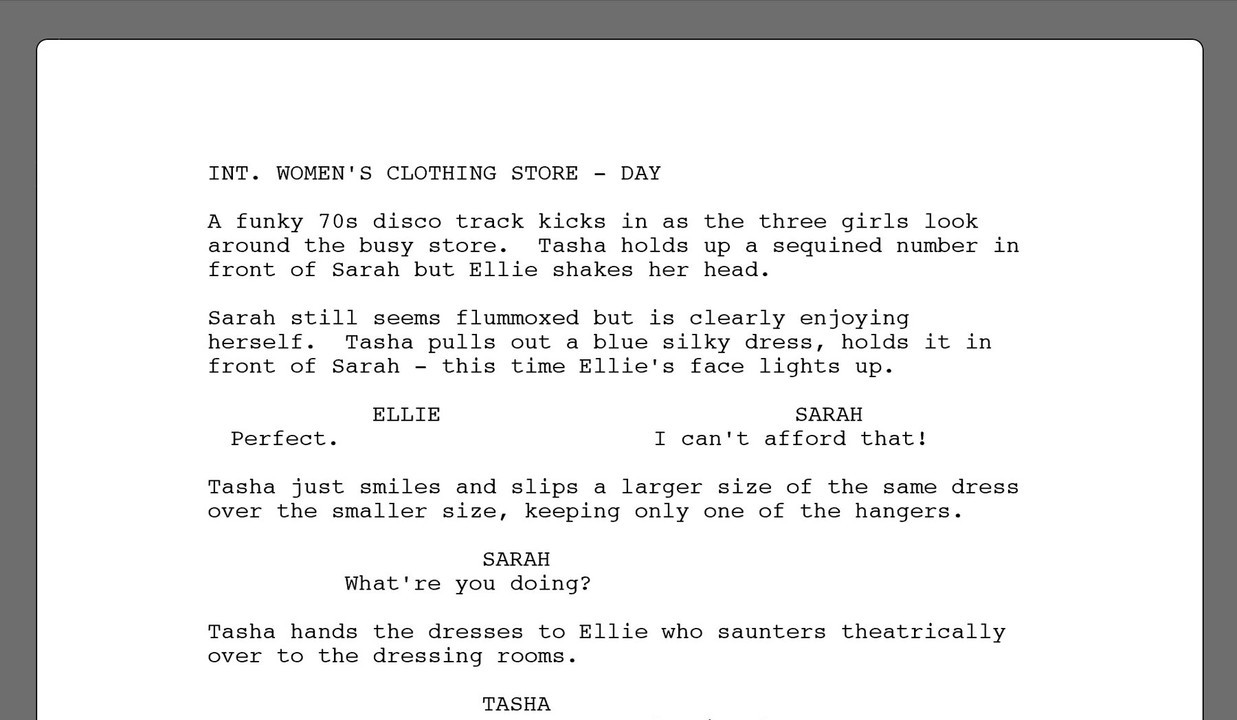
Why: everyone has their own references
It comes down to what we call the referential. Each of us has tastes and preferences that we use, without noticing, as the reference for what good visuals look like. If our references don’t match the client’s, no amount of explanation will close the gap. Now picture the same situation with several decision-makers, each with their own references: that is how a project ends up with endless rounds of changes.
The solution: the Pre-Edit
The Pre-Edit is our own method to tackle this and cut the number of iterations sharply. It brings clarity, saves time and keeps everyone aligned on the creative side of a video project.
Most people grasp visual information more easily than words. Moodboards work well to present visuals in photography and graphic design, but a video moves, and it needs its timeline. That is where the Pre-Edit comes in.
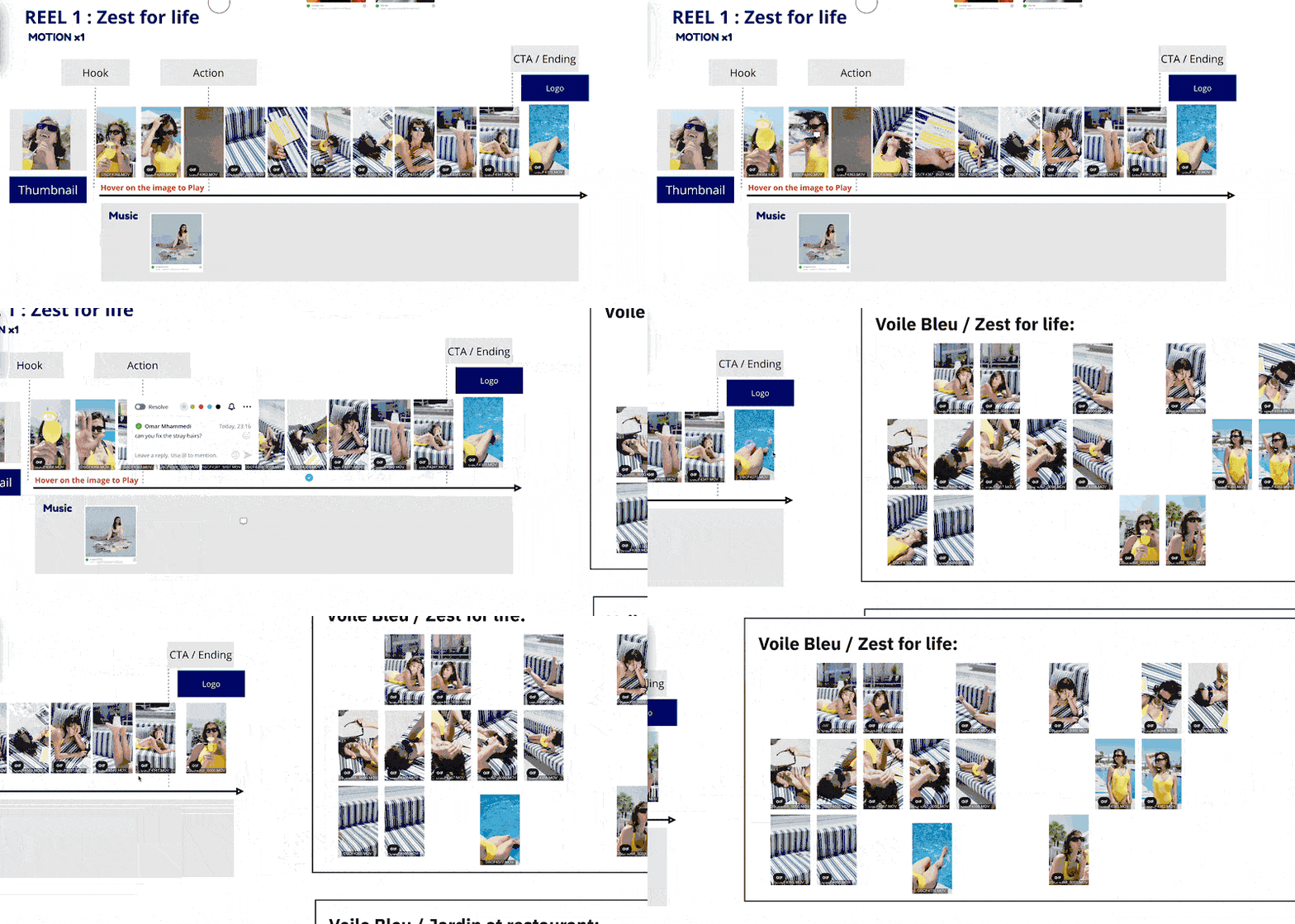
A Pre-Edit isn’t a typical script. It is an early version of the edit, made before the shoot. Presented that way, clients see it as work in progress, so their feedback is realistic, and we get a deeper understanding of their vision and their references.
How we build it
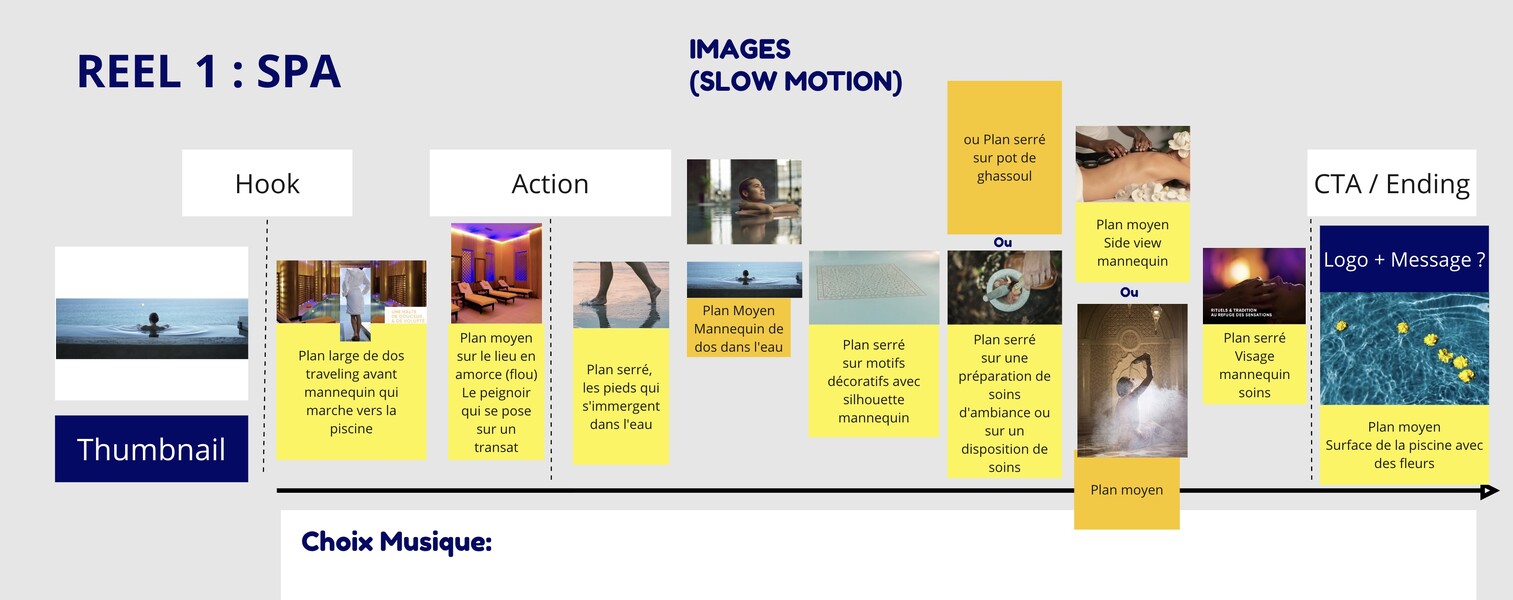
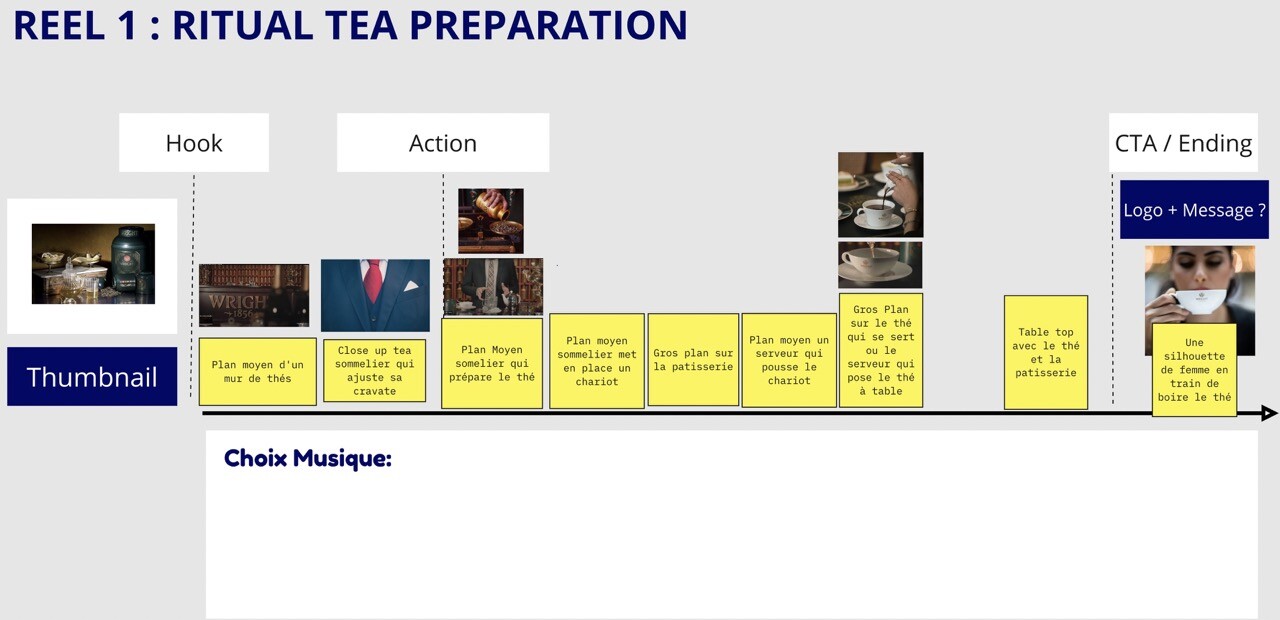
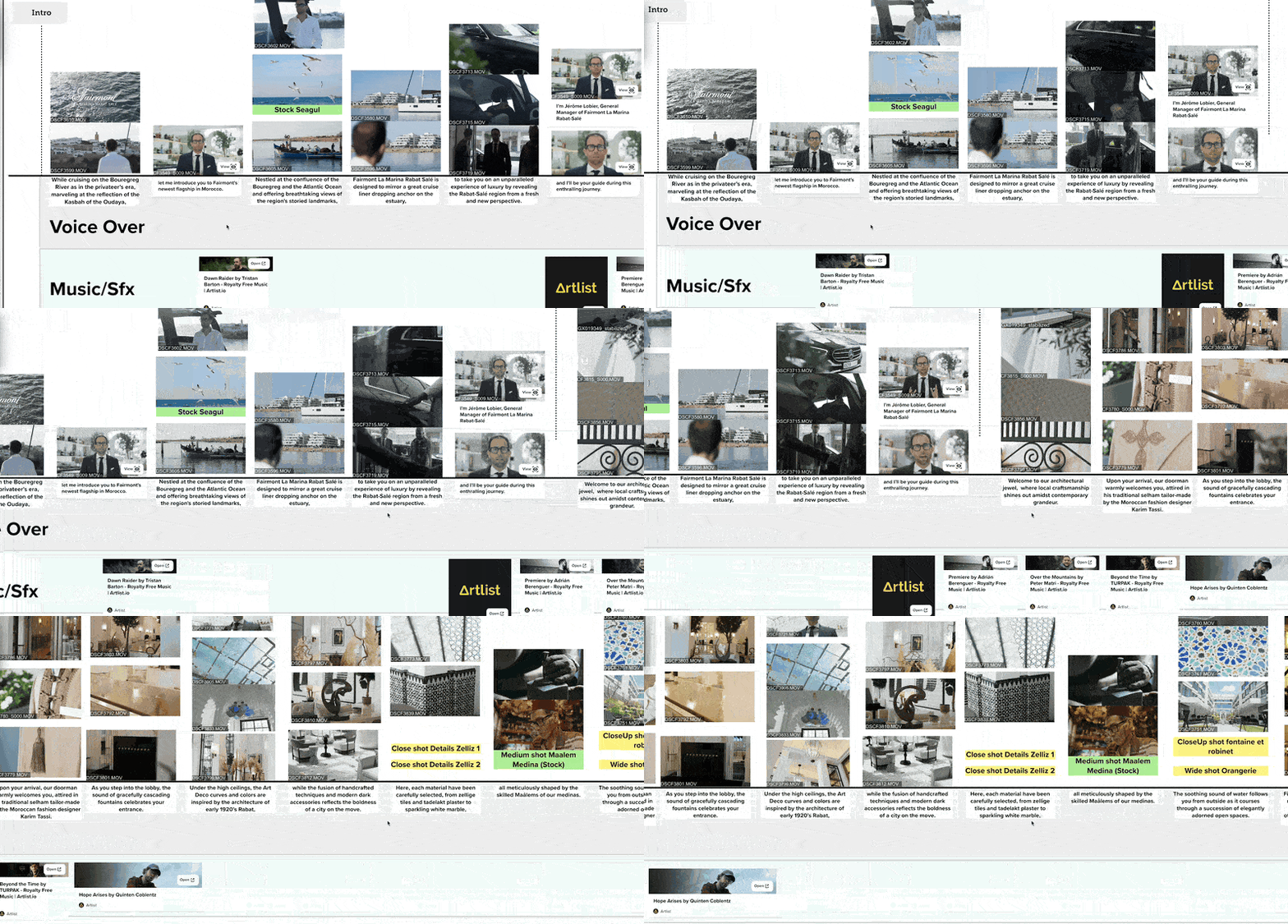
- Like our virtual editing boards, a Pre-Edit starts with a timeline arrow. It divides the format of the video into stages, each sized as its percentage of the whole length.
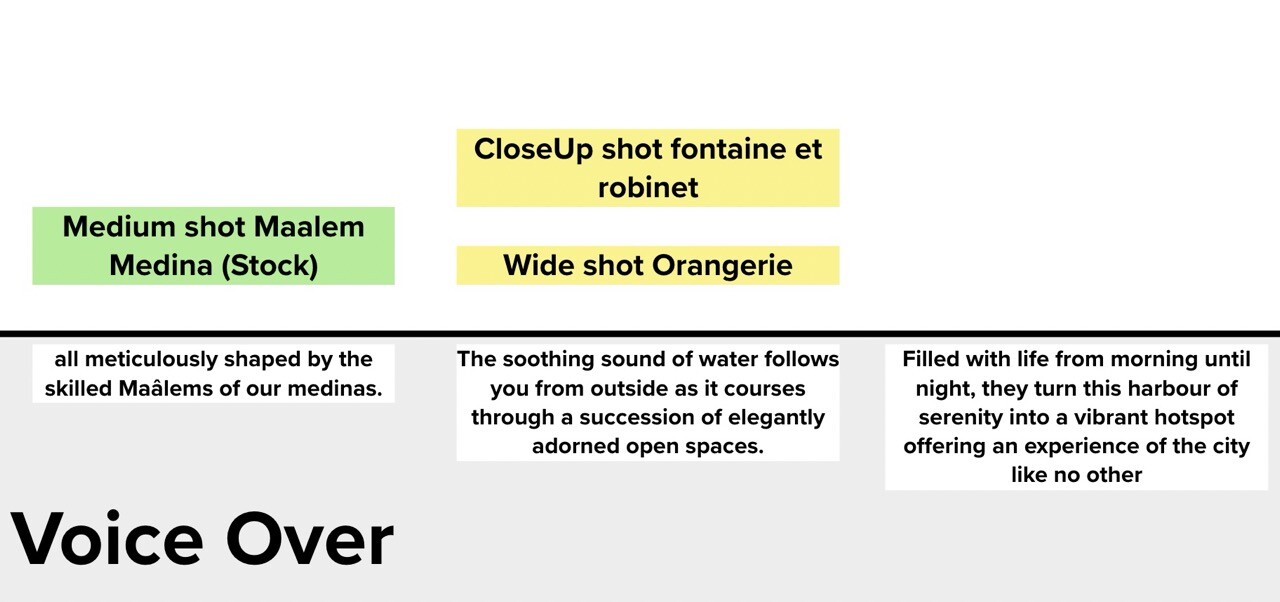
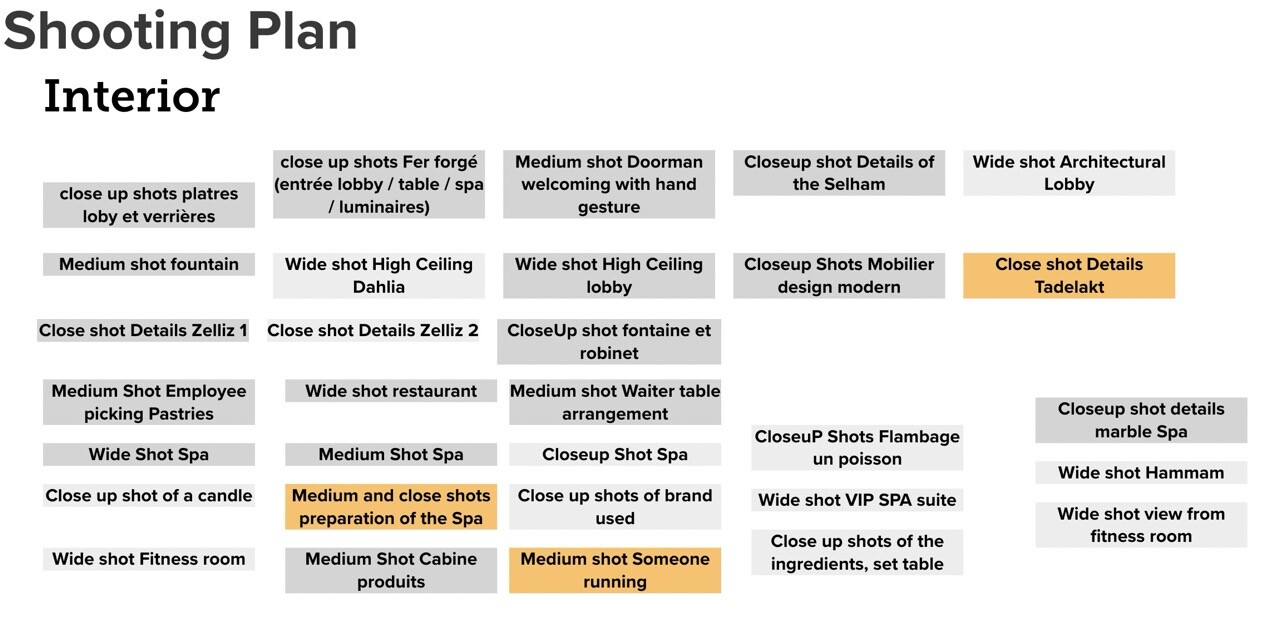
- Each stage holds boxes that describe the takes: the movement, the angle, the decor and the content.
- When we can, we replace the boxes with scouting photos, or ask the client to send photos of the place. We also take ideas from Pinterest, or screenshots from other videos, to show shot ideas and composition.
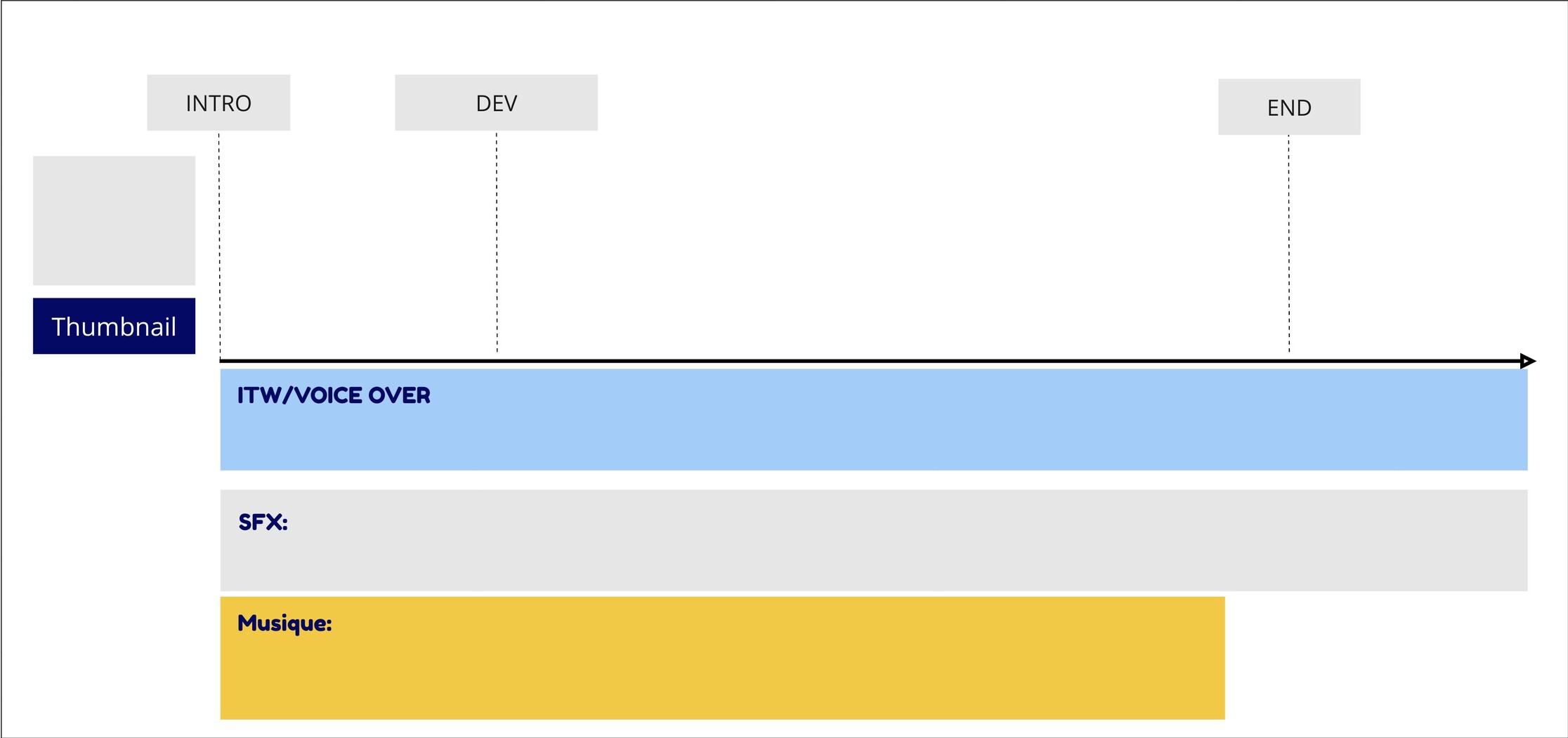
- For interviews, we write a draft text from our conversations with the person, cut it into chunks of about six seconds and place them under the timeline arrow. A tool such as TextConverter estimates how long each piece takes to say. We do the same for voice-overs.
What it changes
- B-roll is much simpler to plan, and we need far fewer takes. On our own projects, we estimate it saves up to 70% of the shooting time.
- The time added in pre-production pays back several times over in production and post-production.
- You come to the shoot day having already approved the visuals, the creative direction and the content of the edit. Our job on the day is to turn that vision into the video.
- The Pre-Edit often reveals problems with the shoot ahead of time, such as a location we can’t access or a decor that doesn’t suit. Nobody has to work magic on the day in poor conditions.
- Clients become real collaborators in the creative process, and everyone is on the same page from the start.
Art and process
In commercial video, we don’t reinvent the wheel the way we might in a personal art project. We follow formats and techniques that are known to work, much like the rules behind successful American blockbusters.
Some creatives love the idea of starting from a blank canvas. Most of us, though, draw on our references to produce new ideas, more than we invent entirely new approaches. Those references come from what our minds are exposed to, so an organized mind, fed the right input, works more efficiently.
The Pre-Edit comes after the script and before the shoot. After the shoot, the same kind of board is where you review the edit. For how a quarterly shoot is planned, read how one shoot a quarter feeds three months of content.