Editing a video together can be slow and tiring, especially with several decision-makers and clients who have different opinions and preferences. This is the process we use for collaborative virtual editing. It has cut the number of iterations sharply and lets us work more efficiently with our clients.
The problem
On a usual video project, the client only sees the final output of the edit and has no idea what footage the editor has. The client leaves comments on a review platform such as frame.io, and it is up to the editor to look for alternatives or fixes. That can last a long time when the editor doesn’t know exactly what the client likes. It gets more complicated when several people give feedback and approval has to go up a hierarchy, and at each step you can find out that the client’s own team doesn’t agree.
Our solution: a virtual pre-edit on a board
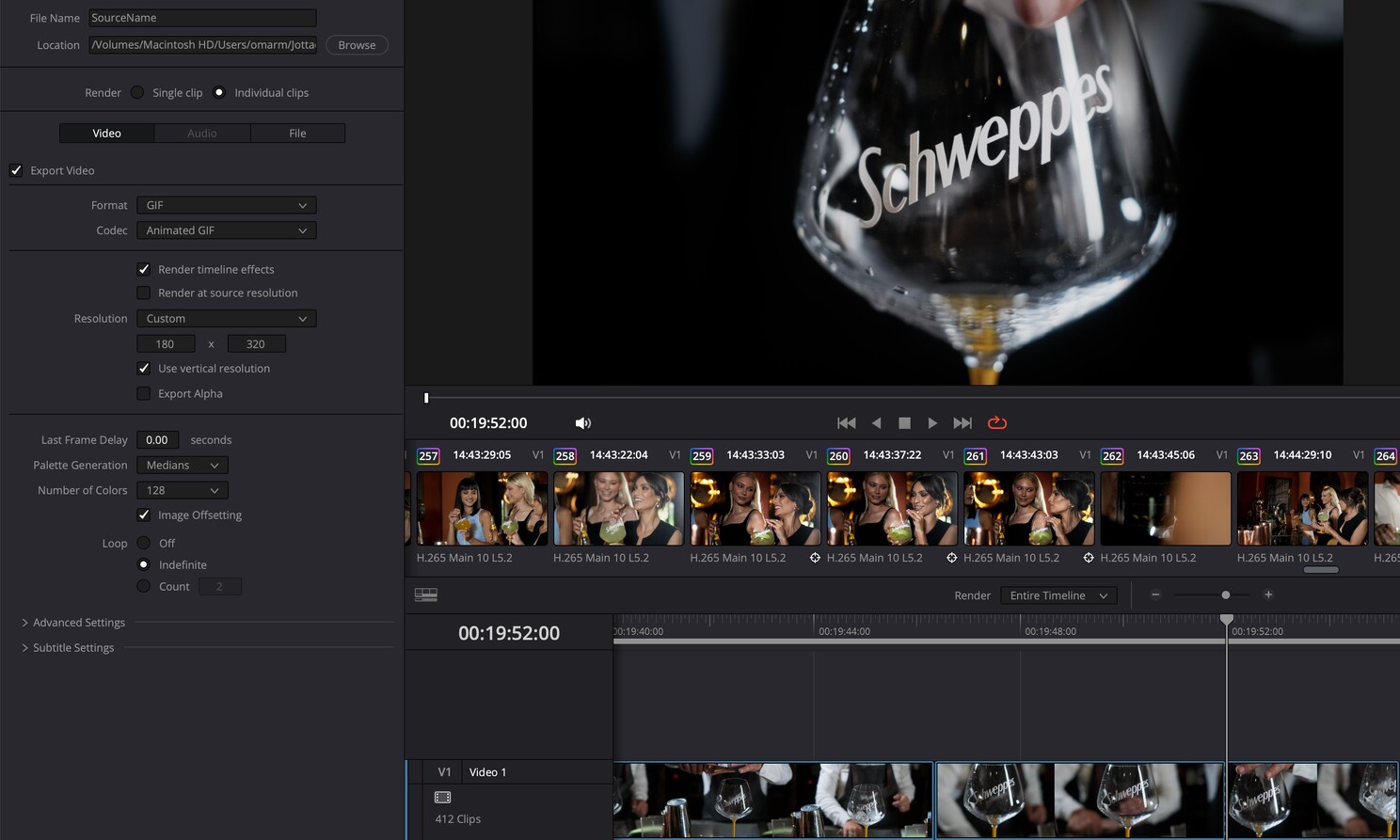
- In our editing software, DaVinci Resolve, we put our selection of logged footage in a timeline and export it as individual clips, in GIF format at 320 pixels.
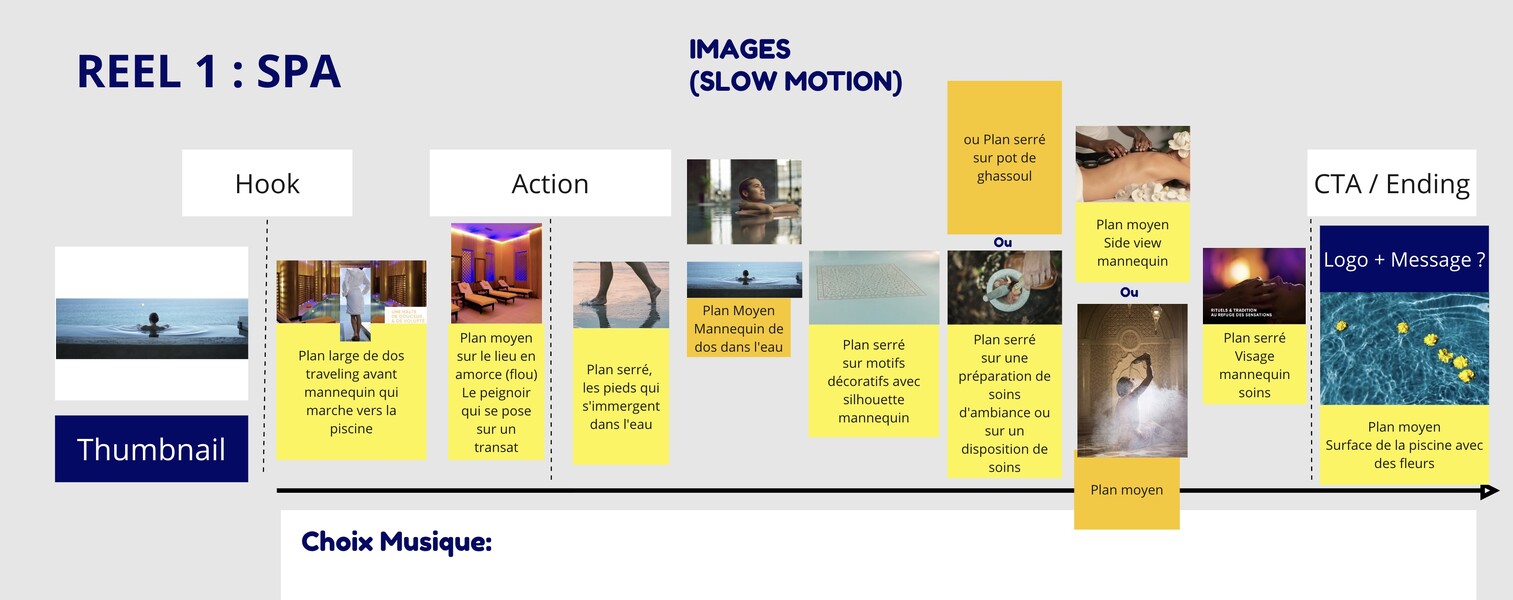
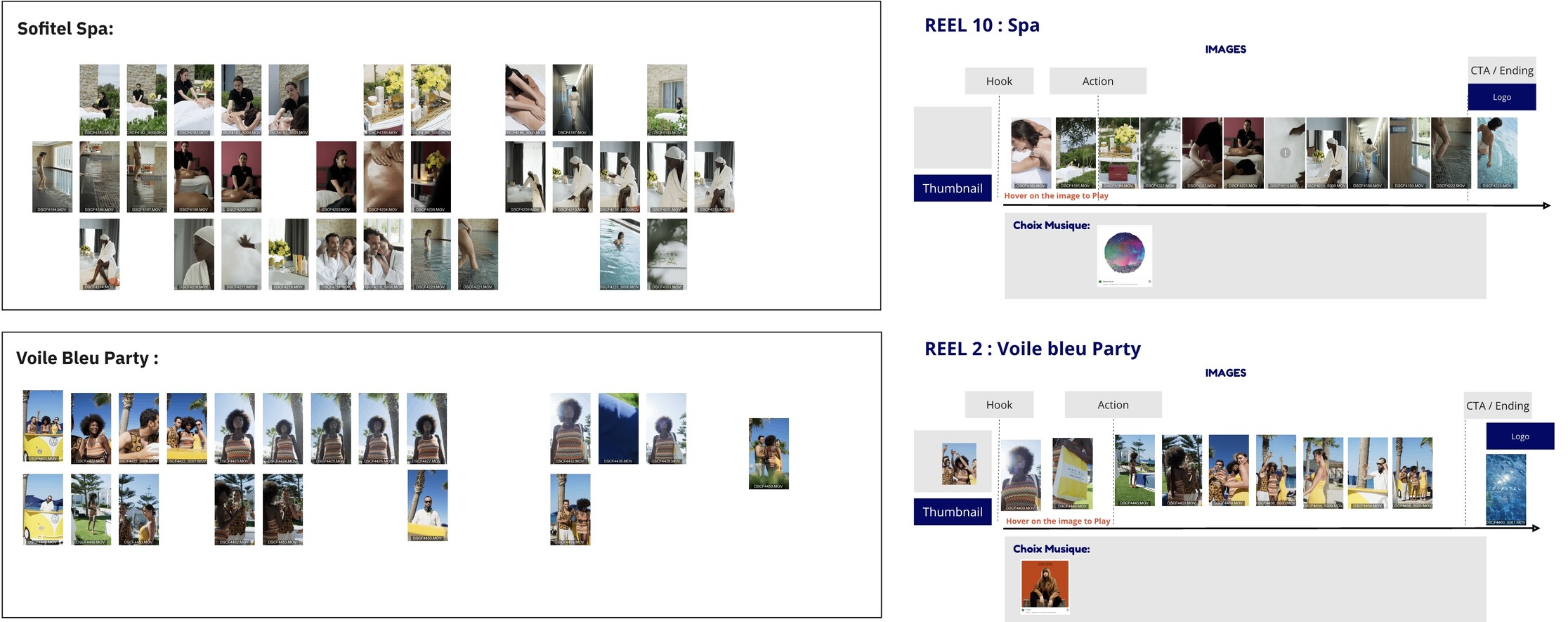
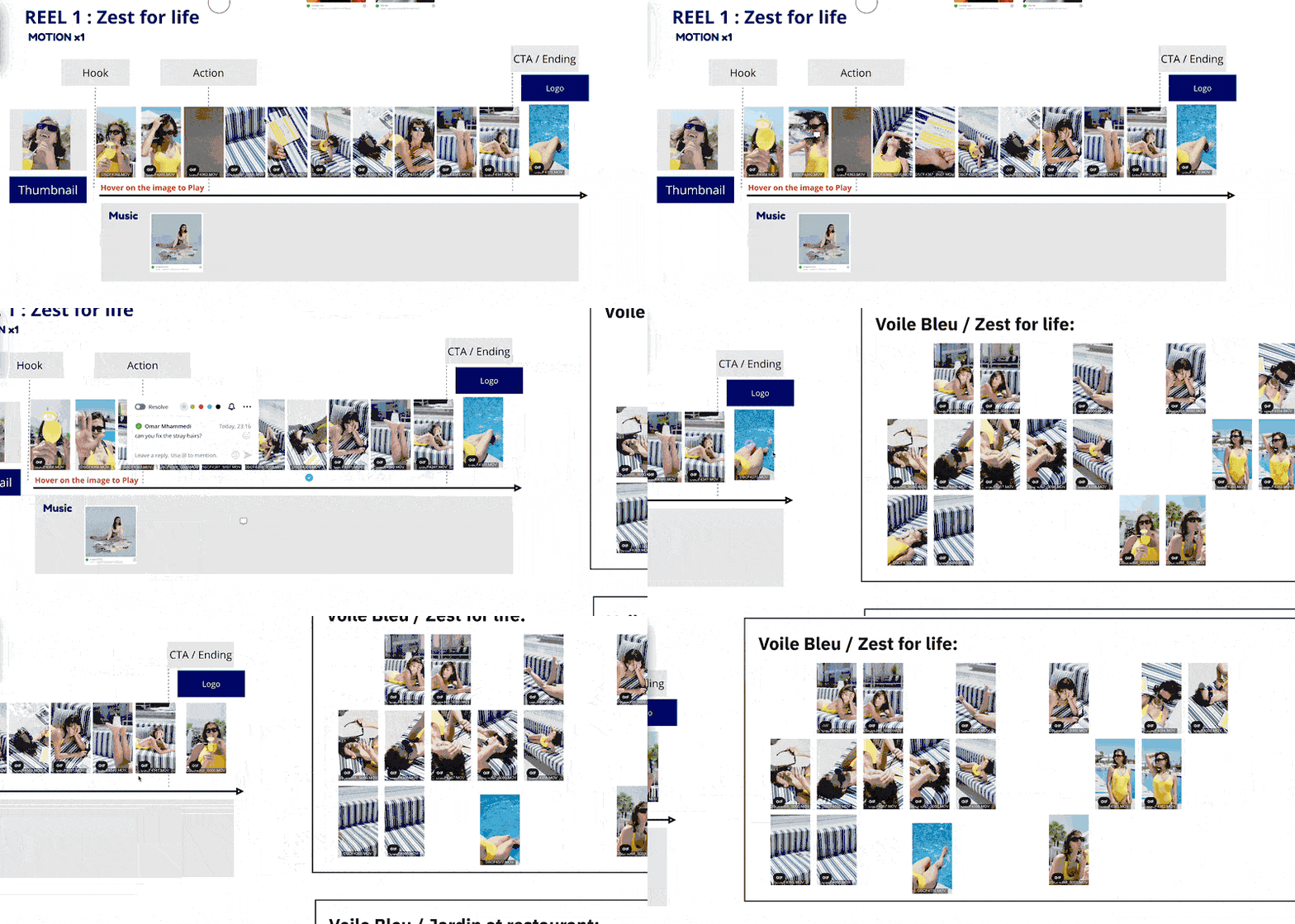
- We import all the clips into a virtual board on Miro, and put each category of footage in its own area.
- In most cases there is at least one area for the unused clips, and another with a virtual timeline: a visual structure of the edit’s narration, where each part is sized in proportion to its length. This step matters a lot: it keeps an ideal structure, and it forces us to choose what is most important to show at each step.
- We then set up a basic edit on that timeline. Seeing the clips on a board, rather than in a sequence, widens our view of the material a great deal and makes the editing more efficient.
How you and your team take part
Next, we invite you and your collaborators to the board and ask for feedback as comments, or let you make changes yourselves when needed. The board shows every available clip without a meeting in person. You can propose what you prefer, and because everyone is invited to the same board, we avoid separate rounds of revisions. Your team discusses the edit on the board, and in the end we receive one final set of feedback on the virtual edit. In most cases, the real edit then only needs one or two more revisions, when some clips don’t work as well in the edit.
What else gets decided on the board
- The music, chosen so it suits everyone involved.
- All the graphic material the edit needs, and where each piece goes.
- For edits with a voice-over or interviews, the text is pasted into its own area. DaVinci Resolve 18 transcribes speech with AI, for free, which makes this easy.
What it changes
This method lets us work more efficiently with our clients. On our own projects, we estimate it saves up to 60% of the hours a usual edit takes. With so few iterations, it also takes much less of our team’s and our freelancers’ time, and that is one of the ways we keep the cost of our services down while keeping the quality high.
It works even better combined with a visual plan of the video made before the shoot, the Pre-Edit. Then we save time not only on the structure of the edit and on the decisions, but also on the shoot, because we film only the clips we need.
Where we are taking it
One direction we are still working on: moving this visual process to Coda boards and using DaVinci Resolve’s programming interface to apply the virtual edit to the real timeline automatically. That would save even more time.